When Google measures the trust of a domain from its backlinks, the search engine actually weighs having a high number of referring domains as a ranking signal. This means that a website with fifty backlinks coming from fifty different domains could be seen as more trustworthy than a website with five hundred backlinks coming from only five domains.
So, if you want to increase your SEO with link building, then you will want to gather new links from as many referring domains as possible. Otherwise, gaining additional links from a website that already links to you will not impact your SEO as much as a new link from a new website.
With the Referring Domains tool, you’ll be able to pinpoint your competitor’s top partnerships that lead to backlinks and find similar opportunities for your website to gain links and boost SEO. Your competitor’s referring domains will be great reports to discover blogs, media sites, informational portals, and geographic areas in your niche that are sending links to websites like yours.
In addition to these reports, you may want to take advantage of the Backlink Gap tool to locate referring domains that send backlinks to multiple websites that you compete with.
How to use the Referring Domains report
The Referring Domains report will give you a list of every domain that’s linking back to the queried domain. At the top of the report will be a New and Lost Referring domains graph:

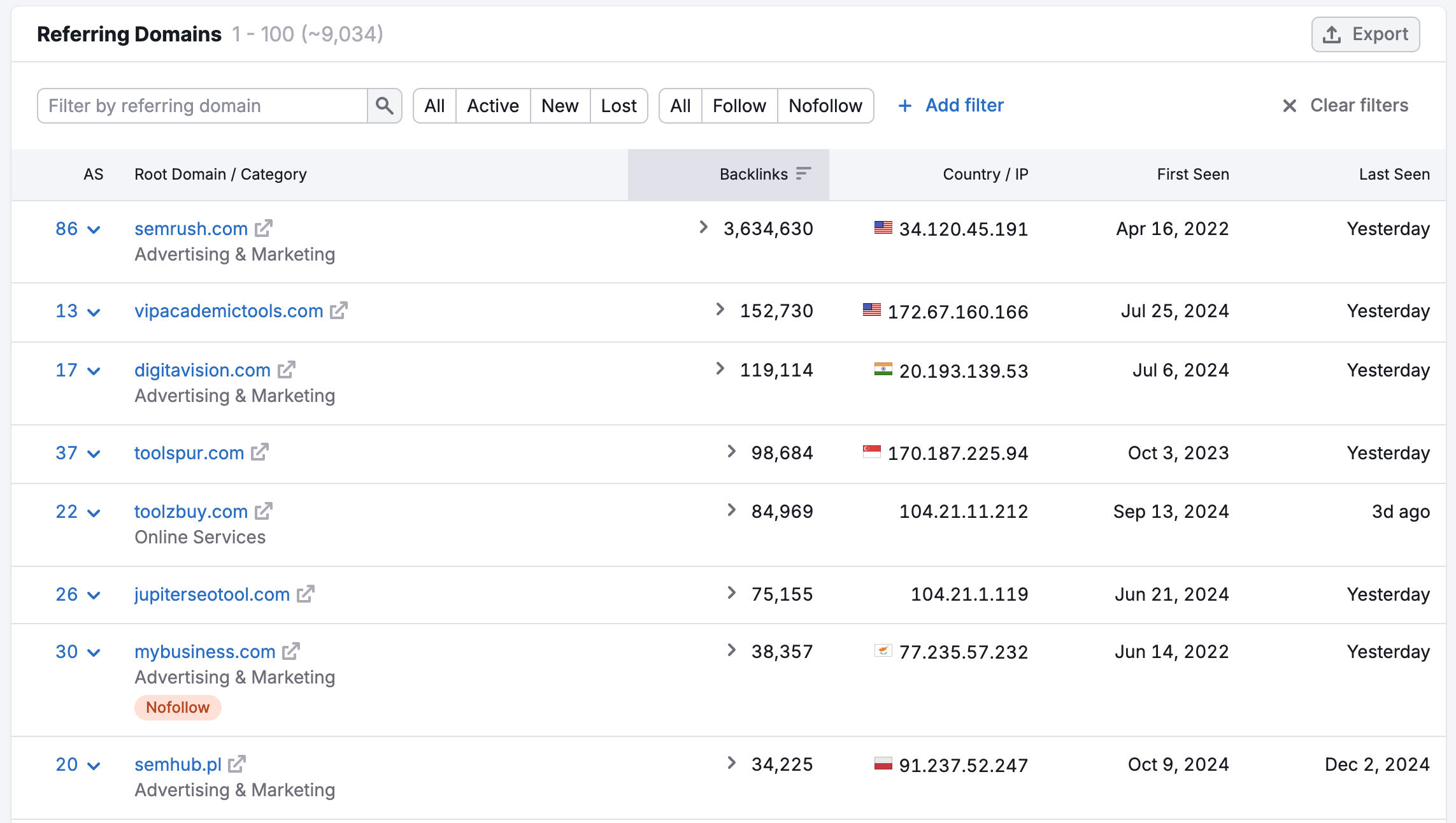
Below the graph, will be the complete listing of domains Semrush found linking to the queried domain. The domains will be listed in descending order by the number of backlinks they send to the queried domain.

The table can be sorted by the total number of backlinks and Authority Score. Sort by the number of backlinks to find your competitor’s most generous partnership, and sort by Authority Score to find domains that contribute the most valuable links that will make an impact on SEO.
You can also sort this table by First Seen and Last Seen date to look for your competitor’s oldest and most recent backlink partners.
The IP address and country are listed in this table so you can analyze the popularity of your competitor’s website by geographic region. It’s generally agreed that having a more diverse background of links, compared to a high volume coming from the same IP address and region, will send a stronger trust signal to search engines. The Referring IPs report will provide a table to better analyze the IPs and geographic distribution of backlinks.
For each domain, you will be able to see the root domain as well as the category associated with it. This is a great way to see which of the referring domains are most closely associated with your niche.
Advanced Filters
Above the table, you’ll find quick filters:

All/Active/New/Lost - filters the table by all links, only active links, new links (links that have appeared within the past 30 days), and lost links (links that have been lost within the past 6 months).
All/Follow/Nofollow - follow backlinks pass the link juice from a referring website to you, while nofollow ones don’t. That way, a follow domain contains at least one follow link to your website, and a nofollow domain doesn’t provide any follow backlinks at all.
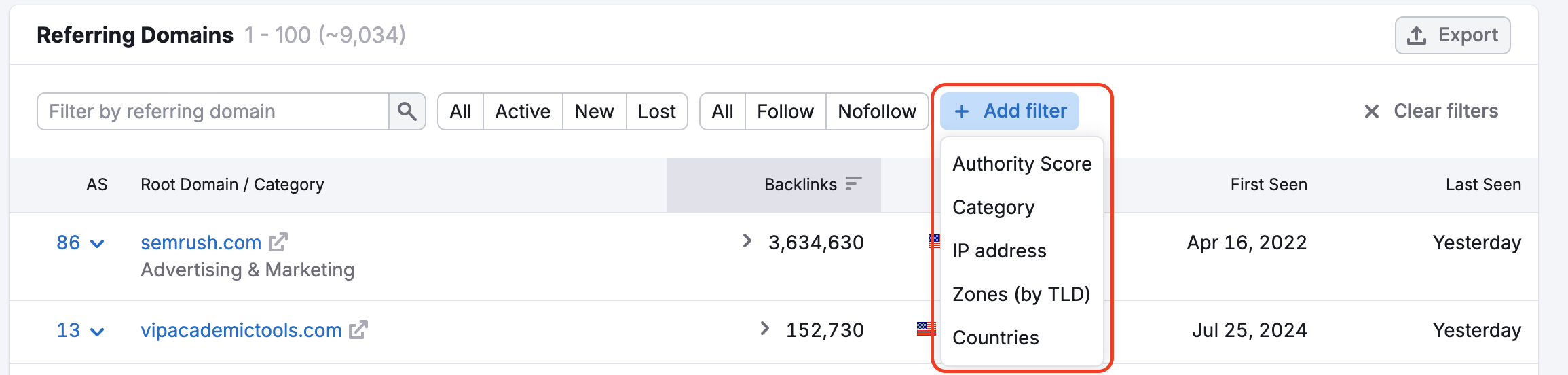
If you need more filters, you can configure them by clicking the “Add filter” button, which gives you the option to filter by Link Attributes, Category, IP address, Zones (top-level domain), and Countries.

Authority score - The AS filter lets you choose from a set of 10 different ranges, as well as create a custom range. Next to each set range, you can see the number of domains associated with each.
Category - analyze backlinks from a certain industry.
Zone filters are essentially TLD filters, and a Country filter will find all of the referring domains located in a certain country with their various TLDs. Filtering before exporting your data is an excellent way to hone in on a specific range of backlink prospects.
For example, a zone filter for “.au” could find websites using the .au TLD that are hosted in the United States, while a country filter for “Australia” could find websites in Australia with .com or .org TLDs.